


Offer
Dedicated ITS Integration Platform and Central Management Application
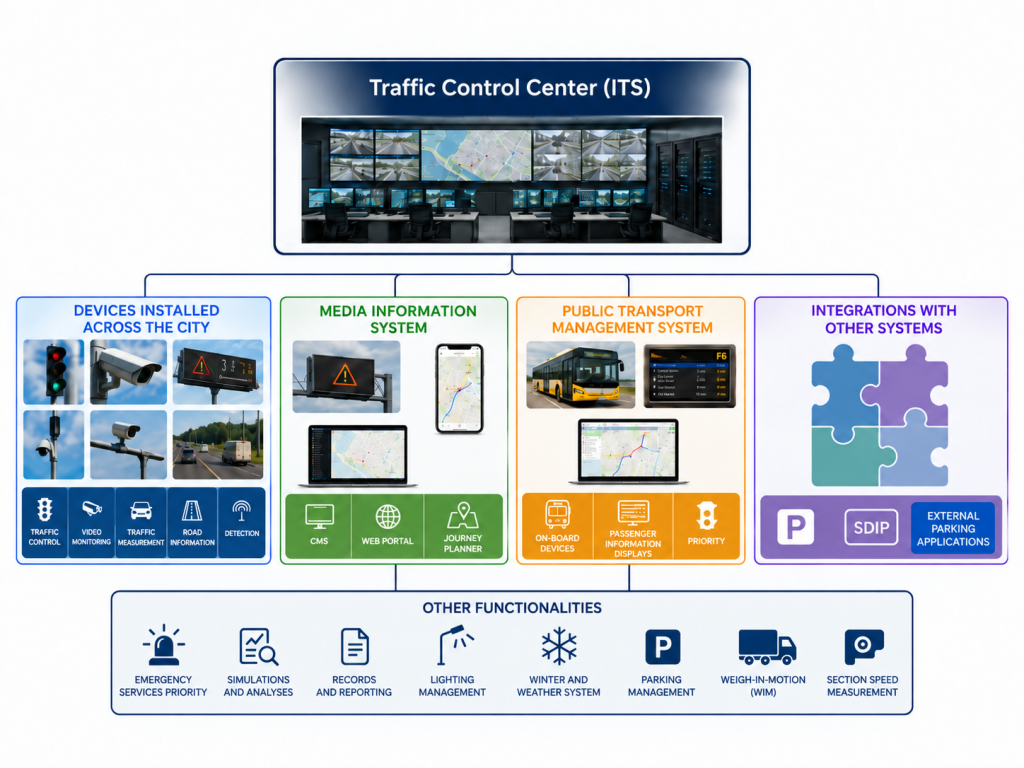
Among BEESSET’s integration projects, carried out as a subcontractor for Yunex Traffic in cities such as Warsaw, Rzeszów, Białystok, Tychy, and Zielona Góra, is our involvement in the implementation of a Dedicated ITS Integration Platform designed to connect multiple independent domain-specific systems into a single, consistent management environment. Depending on the specific deployment and requirements, the number of integrated systems and their functional scope may vary.
The central component of the platform is the ITS data bus, responsible for exchanging, converting, organizing, and collecting data from various subsystems and urban infrastructure devices.
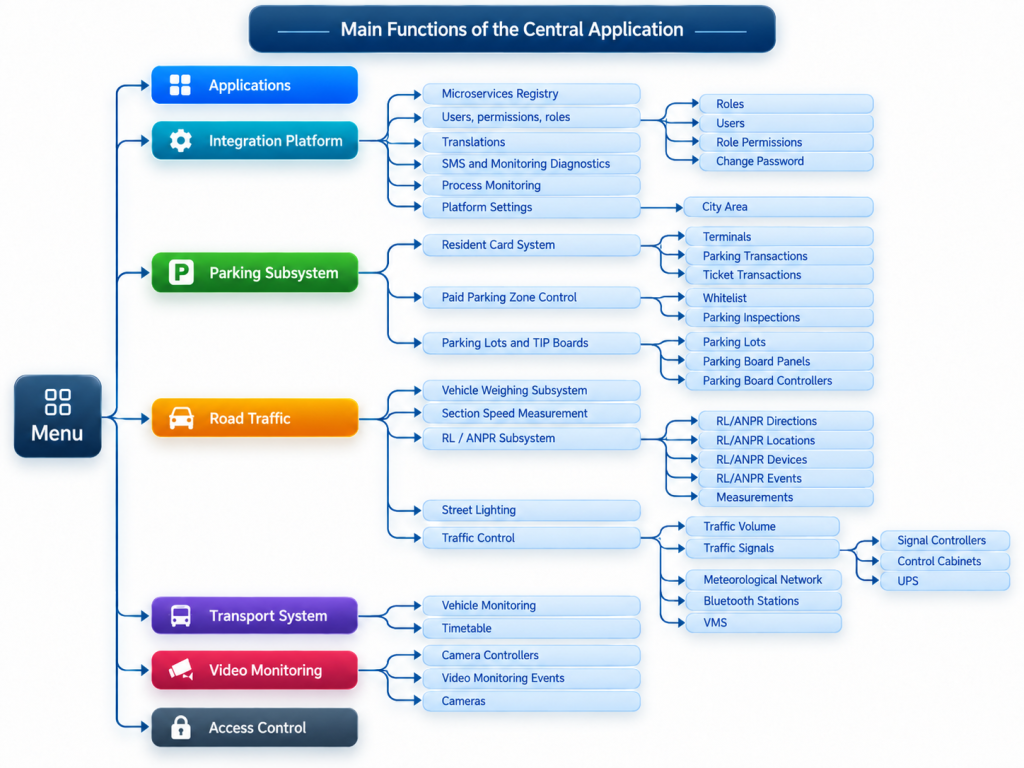
The solution is complemented by a central management application, which provides a unified operator interface for monitoring integrated systems, reviewing data, handling events, and accessing functions made available by individual subsystems. The application runs in a web browser environment and can be used from appropriately secured operator workstations.
Central ITS Data Bus
The dedicated ITS data bus is responsible for, among other things:
- retrieving data from domain-specific systems,
- converting communication protocols and data formats,
- executing integration processes,
- categorizing and storing data in a central database,
- exchanging information between integrated systems,
- presenting data flows and connection statuses,
- supporting future expansion with additional systems and interfaces.
According to the architecture described in the documentation, data transferred from domain-specific systems to the bus can be permanently stored in the central database and subsequently made available to users of the central management application.
Device and Subsystem Monitoring
The platform enables monitoring of both individual devices and entire domain-specific systems. Objects can be presented on a map as well as in a structured device tree. An archive is also available, allowing users to analyze historical data related to monitored elements.
This provides operators with a central point for supervising infrastructure status and helps them identify faults and irregularities more quickly.
Event and Notification Handling
An important element of the platform is the notification handling mechanism. Notifications can be created automatically as a result of changes in the status of a device or system and then routed to the appropriate persons or entities responsible for handling them. The documentation also provides for the transfer of notifications between the system, the responsible entity, and the operator.
This allows the central management application to be used not only for infrastructure monitoring, but also for organizing the response process to faults and incidents.
Integration of Different ITS Areas
The architecture can cover multiple independent functional areas, including:
- traffic control and road traffic monitoring,
- traffic signal systems,
- traffic volume measurements,
- ANPR systems,
- section speed enforcement systems,
- vehicle weighing systems,
- meteorological devices,
- VMS boards,
- public transport and vehicle monitoring,
- parking systems,
- video surveillance,
- access control,
- passenger information systems and other external solutions,
- automatic traffic measurement systems (APR).
Open and Extensible Architecture
One of the key features of the solution we are developing is its modularity and ability to be expanded further. The integration layer can be extended with additional microservices supporting domain-specific systems and new data sources without the need to rebuild the entire environment. In the source materials, the platform is explicitly described as a modular architecture that allows new systems to be added as the solution evolves.
Examples of ITS Component Deployments:
Automatic Traffic Measurement System (APR) in Warsaw
The Automatic Traffic Measurement System (APR) supports the collection, analysis, and distribution of data on traffic volumes across Warsaw’s road network. The data comes from a distributed network of measurement points located on major transport corridors, outbound routes, bridges, and streets in the city centre.
The system consists of two main parts: an administrative and analytical back office used to configure the measurement infrastructure, verify data, and prepare analyses, and a public interface available through the Warsaw Municipal Roads Authority portal.
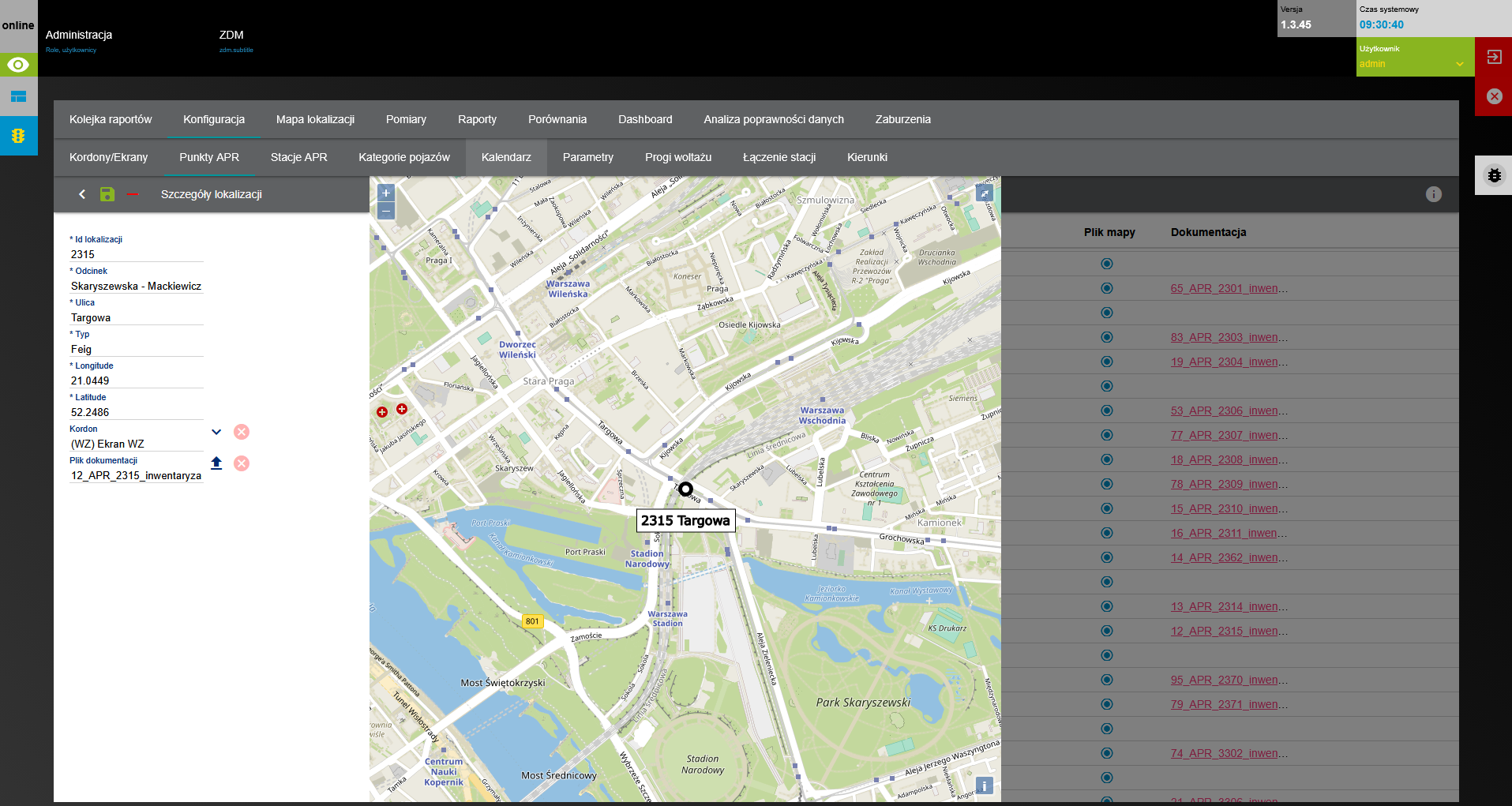
The system backend serves as the central tool for managing the APR measurement structure and the data collected by individual devices. It allows the actual organization of measurement points, stations, directions, and traffic lanes to be represented and then used for data analysis and reporting.
The basic element of the system is a measurement point representing a specific location within Warsaw’s road network.
As part of the configuration, users can manage information identifying a given point and its measurement structure. This makes it possible to unambiguously associate incoming data with a specific road section and the appropriate direction of travel.
The structure of measurement points also forms the basis for subsequent reporting. Users can select specific locations and analyze data for individual stations or larger groups of measurement points.
Configuration of Measurement Points
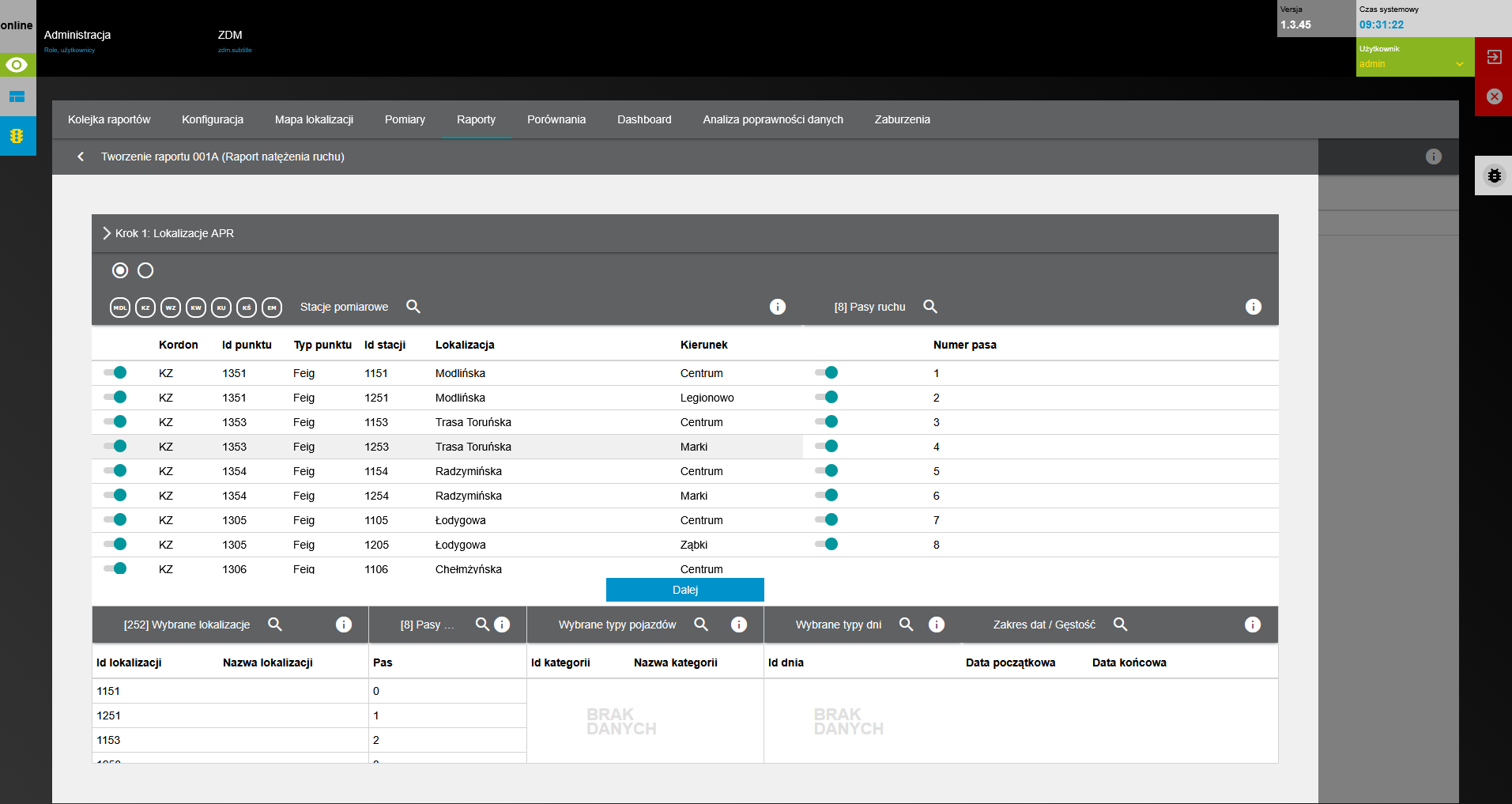
Each measurement point includes stations corresponding to individual traffic directions. Within each station, individual traffic lanes are also represented, allowing the system to analyze data at a more detailed level than the entire street.
This approach makes it possible to obtain both aggregated information about traffic volume at a given location and separate analyses for individual directions and lanes.
The structure measurement point → station/direction → traffic lane is used throughout the system for configuration, reporting, and anomaly analysis.
Measurement Stations and Traffic Lanes
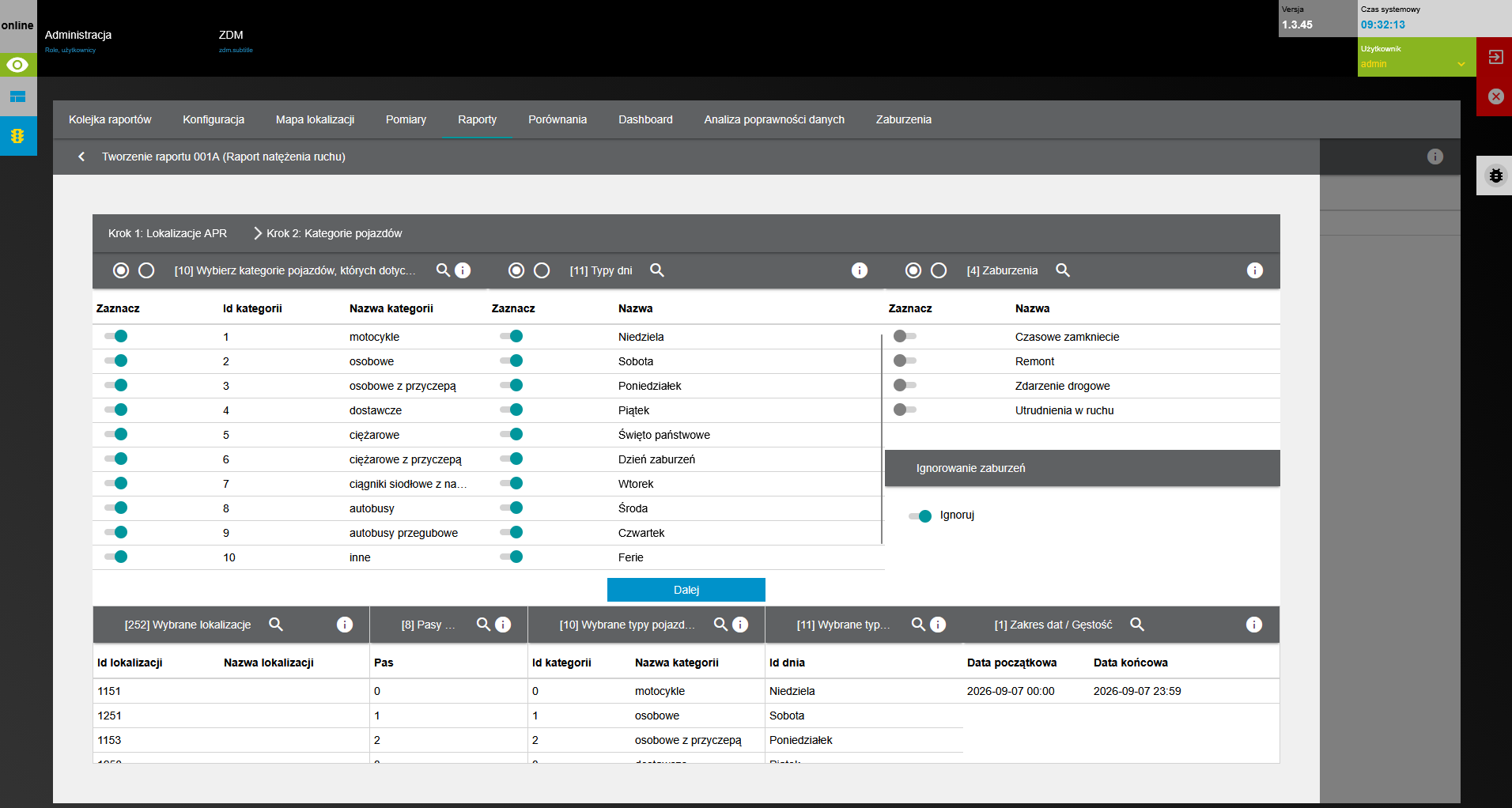
The system takes into account not only the number of recorded vehicle passages, but also the vehicle type. Measurement data can be assigned to predefined vehicle categories, making it possible to analyze the traffic composition at a selected location.
This allows users to examine not only the total traffic volume, but also the share of individual vehicle types and changes in traffic composition over time.
The categorization mechanism can then be used as an additional dimension for reporting and analysis.
Vehicle Categorization
The backend provides a module for generating reports based on a selected data range.
Users can define the measurement points and stations to be analyzed, the date and time range, and the method of data aggregation. This makes it possible to prepare both detailed analyses for a selected period and summaries showing long-term changes in traffic volume.
The ability to group data allows reports to be tailored to specific analytical purposes, for example by comparing individual days, presenting traffic volume patterns across consecutive hours of the day, or comparing results from multiple locations.
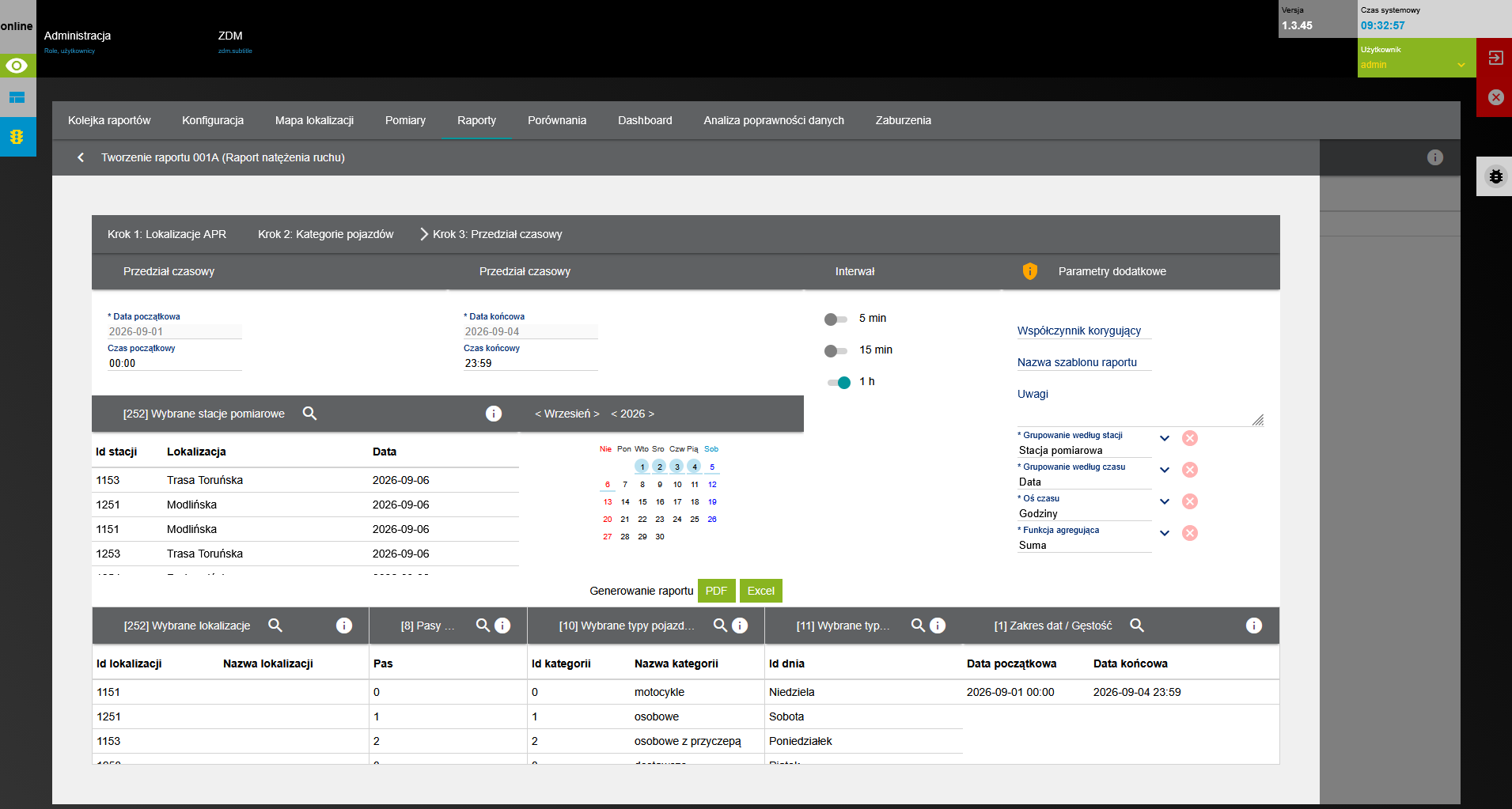
Report Parameters
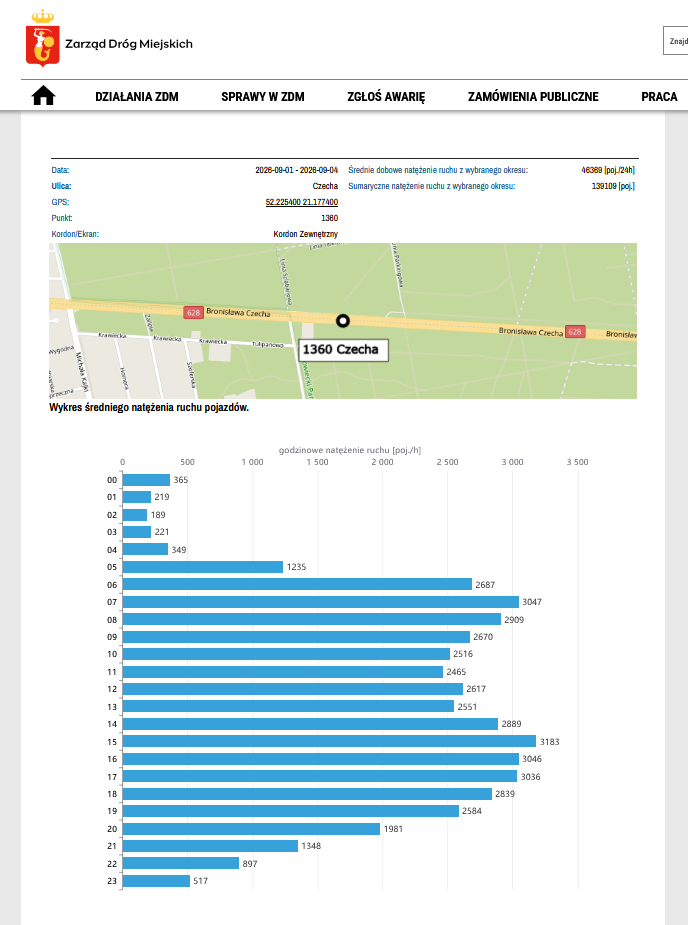
Based on the defined parameters, the system generates a report presenting aggregated measurement results.
The report transforms raw data recorded by measurement devices into information that can be directly interpreted by the user. The data can be analyzed in the context of location, traffic direction, lane, time period, and the selected grouping method.
Visual presentation of the results makes it easier to identify peak traffic hours, compare traffic volumes across consecutive days, and observe changes over longer periods.
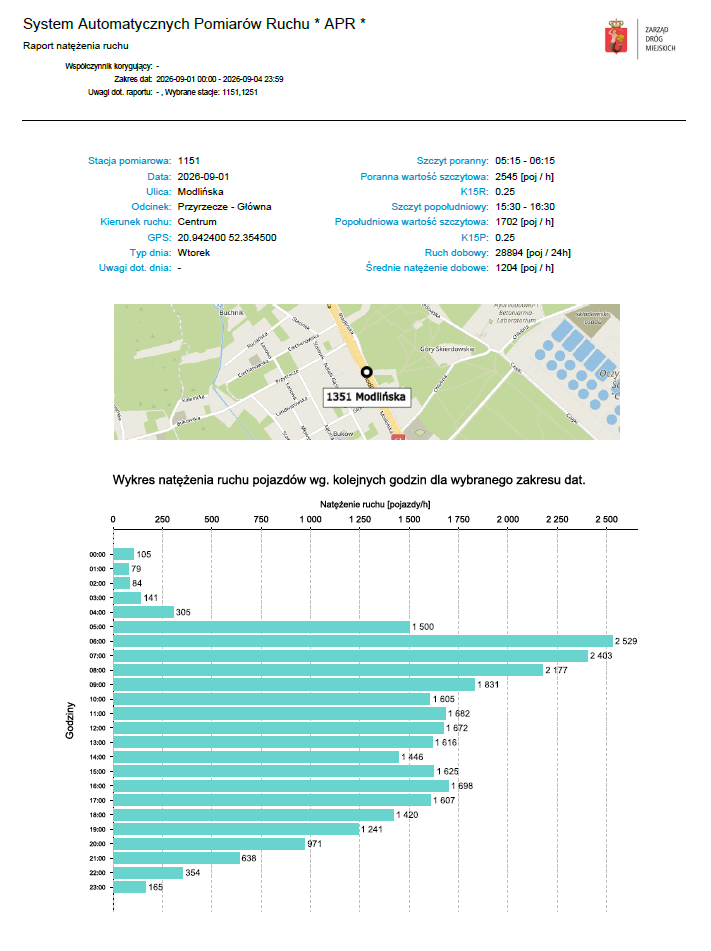
PDF Report Output
An important part of the backend is the module for monitoring the quality and continuity of measurement data.
The system enables ongoing observation of detected disruptions and anomalies associated with individual stations. This makes it possible to quickly identify locations that require additional verification, without the need to manually review large volumes of measurement records.
Monitoring is an important complement to the reporting functionality. Before using the data for analysis, users can verify whether any irregularities occurred during the selected period that could affect the representativeness of the results.
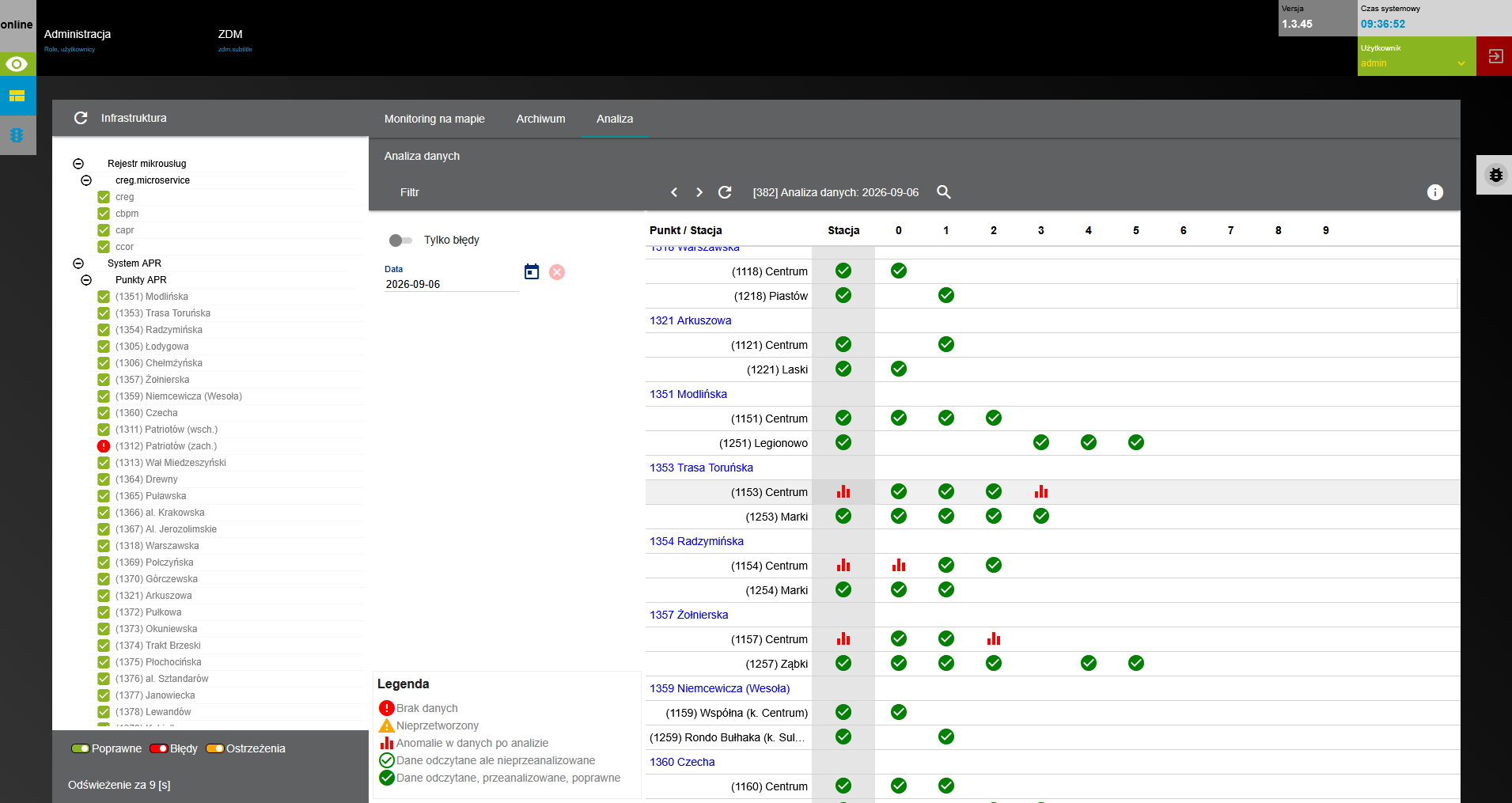
Continuous Anomaly Monitoring
After selecting a specific event, the user can open a detailed view of the measurement station.
The view allows the analysis to be narrowed down to a specific location, time period, and individual traffic lanes. This makes it possible to determine which infrastructure element is affected by the detected anomaly and to compare data between lanes or traffic directions.
This approach significantly simplifies problem diagnosis and helps determine whether the recorded irregularity is local or affects the entire measurement station.
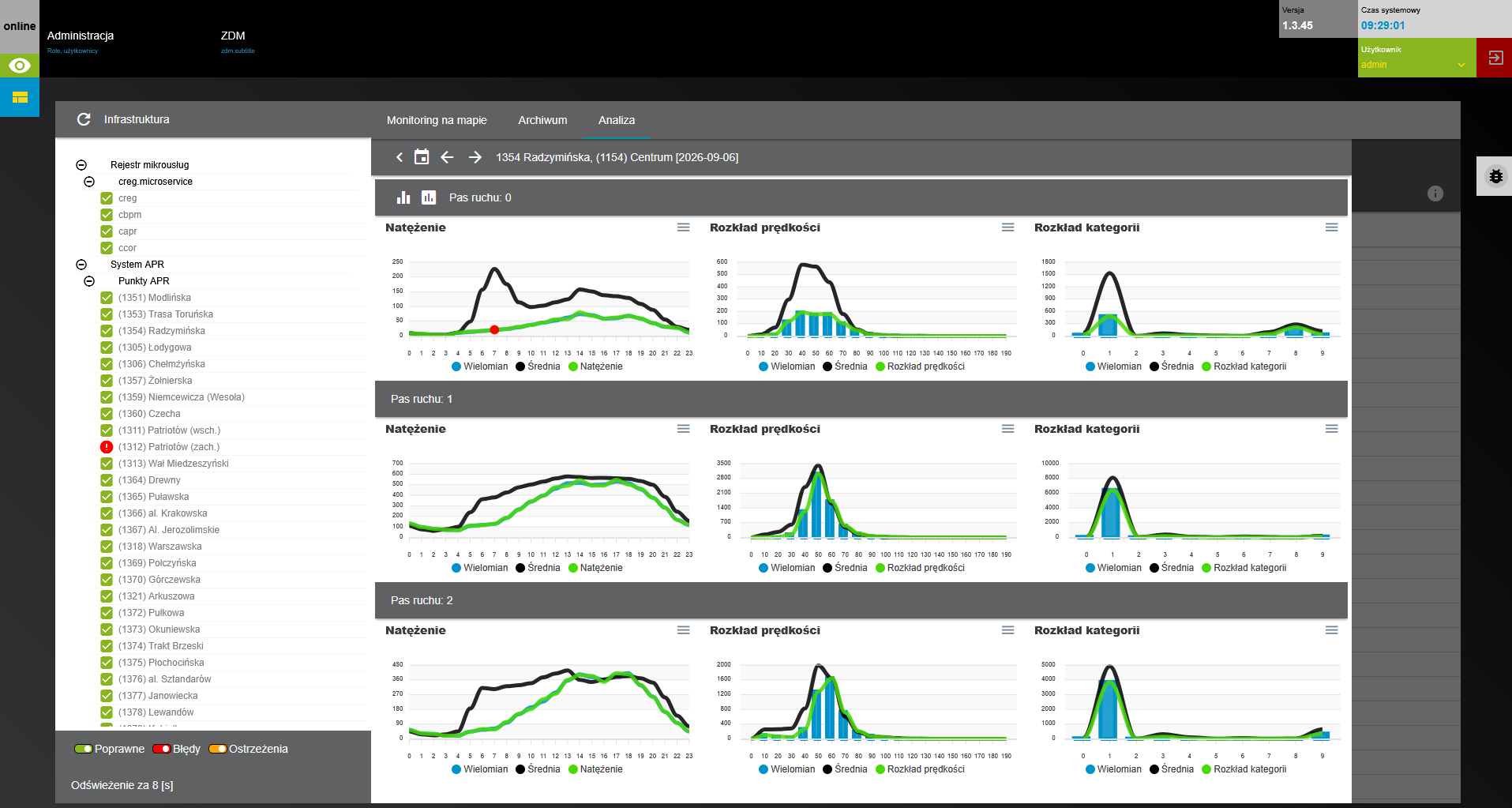
Anomaly Details for the Selected Station and Traffic Lanes
The public part of the system has been made available to users as an interactive module embedded in the Warsaw Municipal Roads Authority (ZDM) portal. This allows APR data to be accessed not only by staff responsible for traffic analysis, but also by residents, analysts, designers, public institutions, and other users interested in the operation of Warsaw’s road network.
The module guides users through the successive stages of preparing their own report, from selecting measurement locations, through defining the analysis period and aggregation method, to generating the final results.
Public access to the interactive module: https://zdm.waw.pl/dzialania/badania-i-analizy/analiza-ruchu-na-drogach/analiza-ruchu-na-drogach-online/
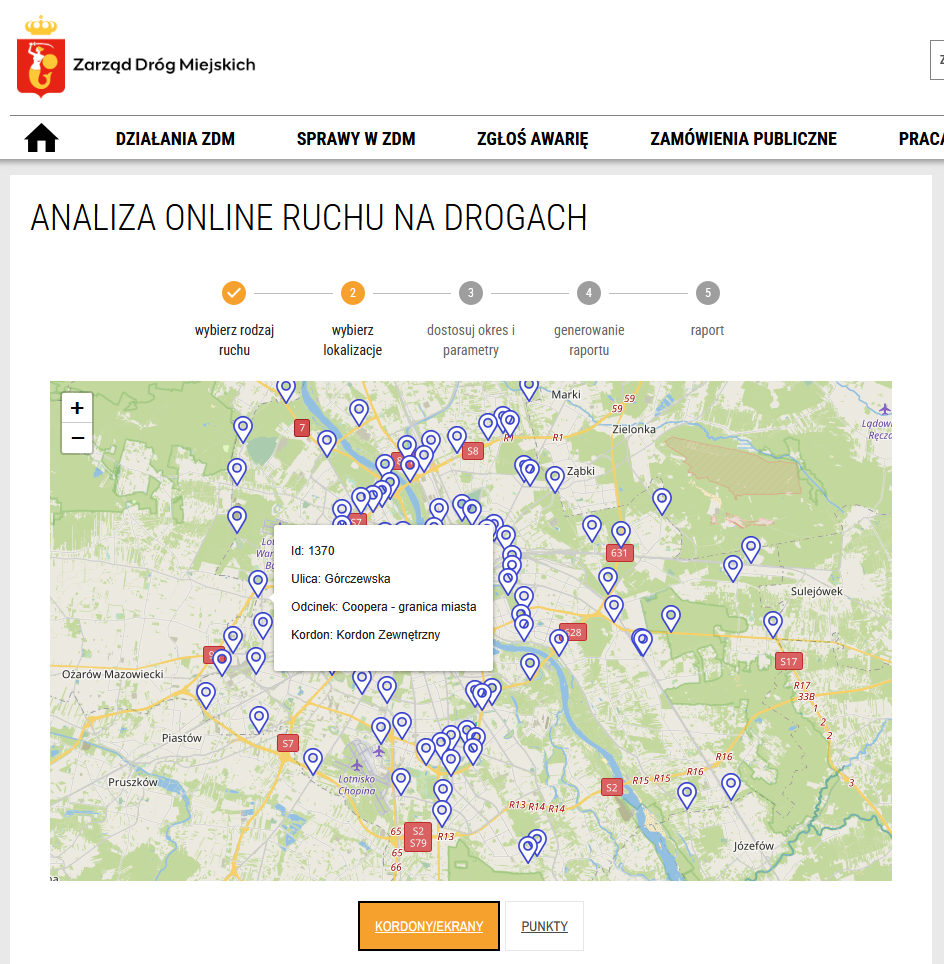
The first step in preparing an analysis is selecting the measurement points of interest.
Locations can be selected using an interactive map and a list. More than one point can be selected, allowing the tool to be used both for analyzing a single road section and for preparing reports covering a larger part of the city.
The public ZDM tool also provides predefined groups of measurement points corresponding to selected areas or traffic cross-sections, including the City Centre Cordon and Bridge Screen.
After selecting the locations, the user defines the parameters determining which data will be included and how the results will be presented.
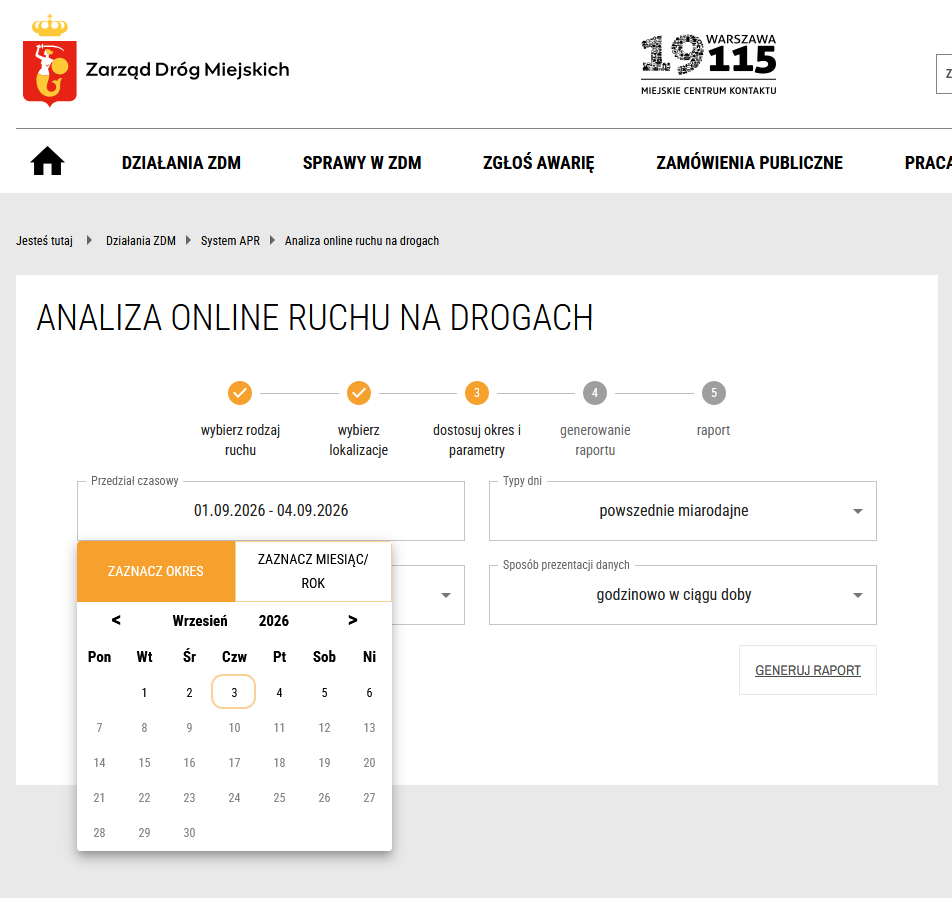
Date Range
The user specifies the period for which the report should be generated.
The ability to define a time range makes it possible to analyze a single day or selected hours, as well as longer periods. This allows the same tool to be used for analyzing peak hours, comparing traffic on different days, or observing changes in traffic volume over a longer time horizon.
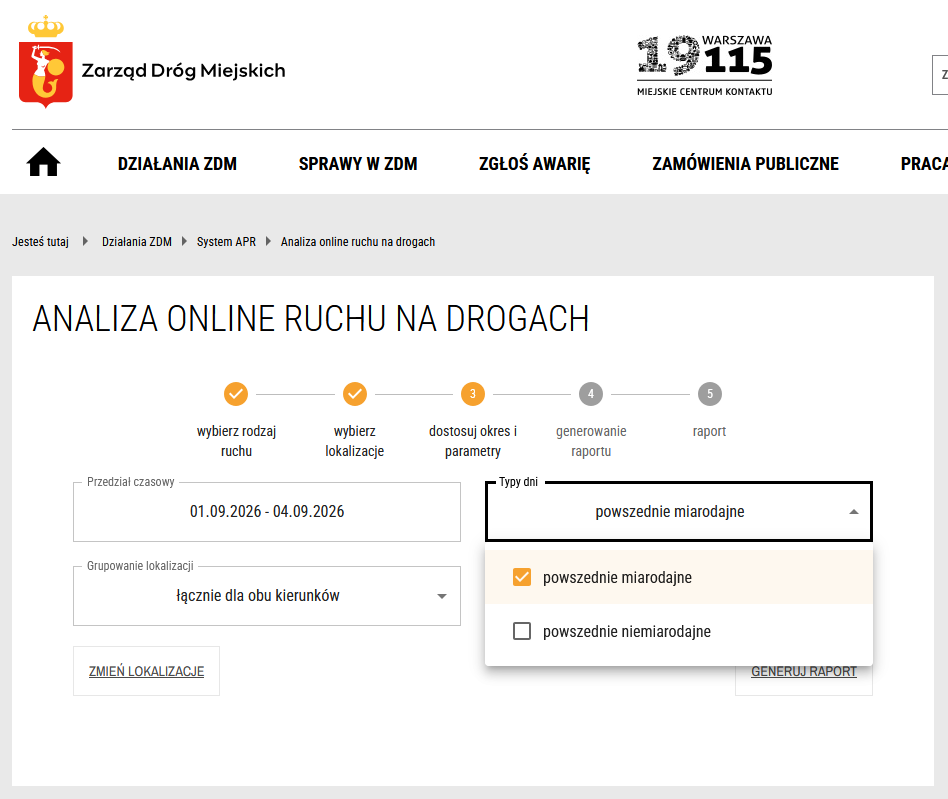
Day Types – Representative and Non-Representative Days
An additional filter is the type of days included in the analysis.
Selecting representative days limits the data to periods considered representative of typical road traffic conditions. According to ZDM, this option includes Tuesdays, Wednesdays, and Thursdays falling within representative measurement periods, while excluding, among other things, public holidays, school breaks, and summer holidays.
Separating representative and non-representative days prevents typical urban traffic patterns from being mixed with periods in which traffic characteristics may differ significantly from normal conditions.
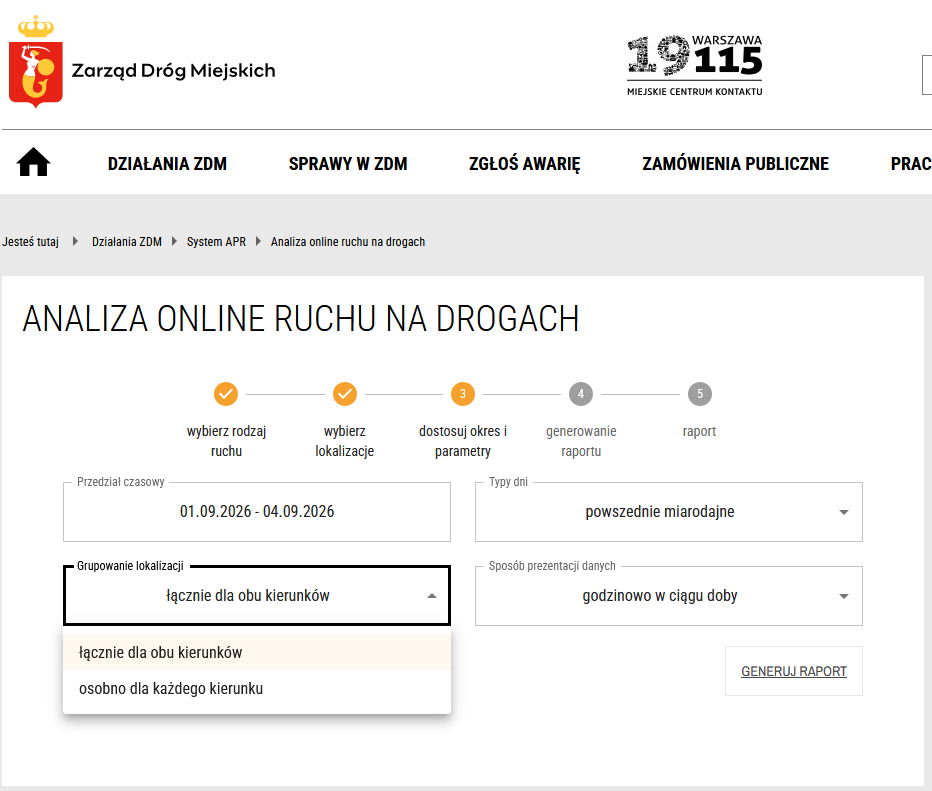
Grouping of Locations and Traffic Directions
Each measurement point collects data for both traffic directions.
When preparing a report, the user can decide how data from these directions should be presented. The system provides an aggregated view, in which traffic in both directions is combined, as well as a separated view, where each direction is presented as an individual data series.
This makes it easy to switch between a general overview of traffic volume on a given road section and a more detailed analysis of its directional structure. The option to present both directions either together or separately is also described in the ZDM user guide.
Data Presentation Method
The user can also choose how data should be aggregated over time.
In the hourly view within a day, the report shows changes in traffic volume across consecutive hours. This makes it possible, among other things, to identify morning and afternoon peak periods and compare traffic patterns at different times of the day.
In the daily view over a selected period, data is aggregated by individual days. This format is particularly useful for identifying trends, comparing days of the week, and analyzing changes over a longer period.
Both presentation methods are available in the public ZDM APR module.
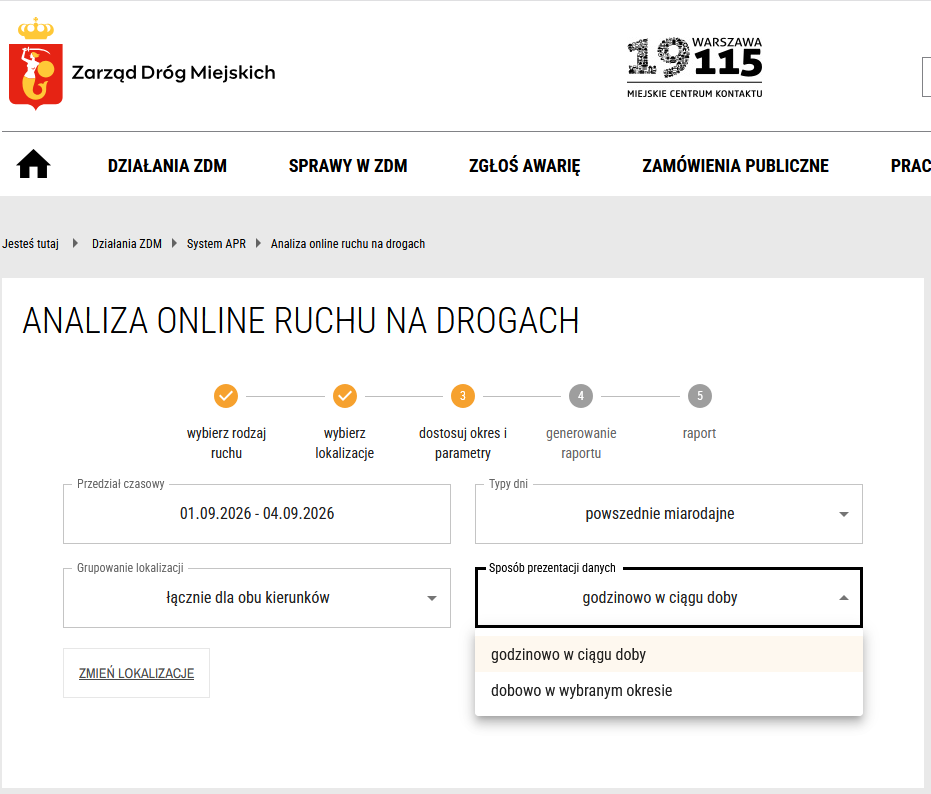
After defining all parameters, the user generates the report.
The system retrieves data corresponding to the selected locations and criteria, performs the appropriate aggregation, and then presents the results in a clear visual format.
The report provides a quick overview of traffic volumes and enables values to be compared across locations, traffic directions, and time periods. Depending on the selected configuration, it can present traffic patterns across consecutive hours of the day or daily changes within a specified time range.
As a result, the public APR module is not merely a static presentation of data. Users can define their own analysis scope and generate a report addressing a specific analytical question, for example, the number of vehicles passing through a particular road section, differences between traffic directions, or changes in traffic volume over consecutive days.
The APR system combines three key areas: measurement infrastructure management, data monitoring and analysis, and public data access.
The administrative component makes it possible to map the structure of measurement points, stations, and traffic lanes, manage data classification methods, generate reports, and monitor anomalies. The public frontend uses the collected data to provide users with a simple analysis configurator, allowing them to independently define the location, time period, day type, traffic direction grouping method, and data aggregation level.
As a result, APR serves both as an operational system supporting the management of traffic measurements and as an analytical platform enabling traffic data to be used for infrastructure planning, transport analysis, and monitoring changes occurring on Warsaw’s road network.
Resident Portal in Tychy
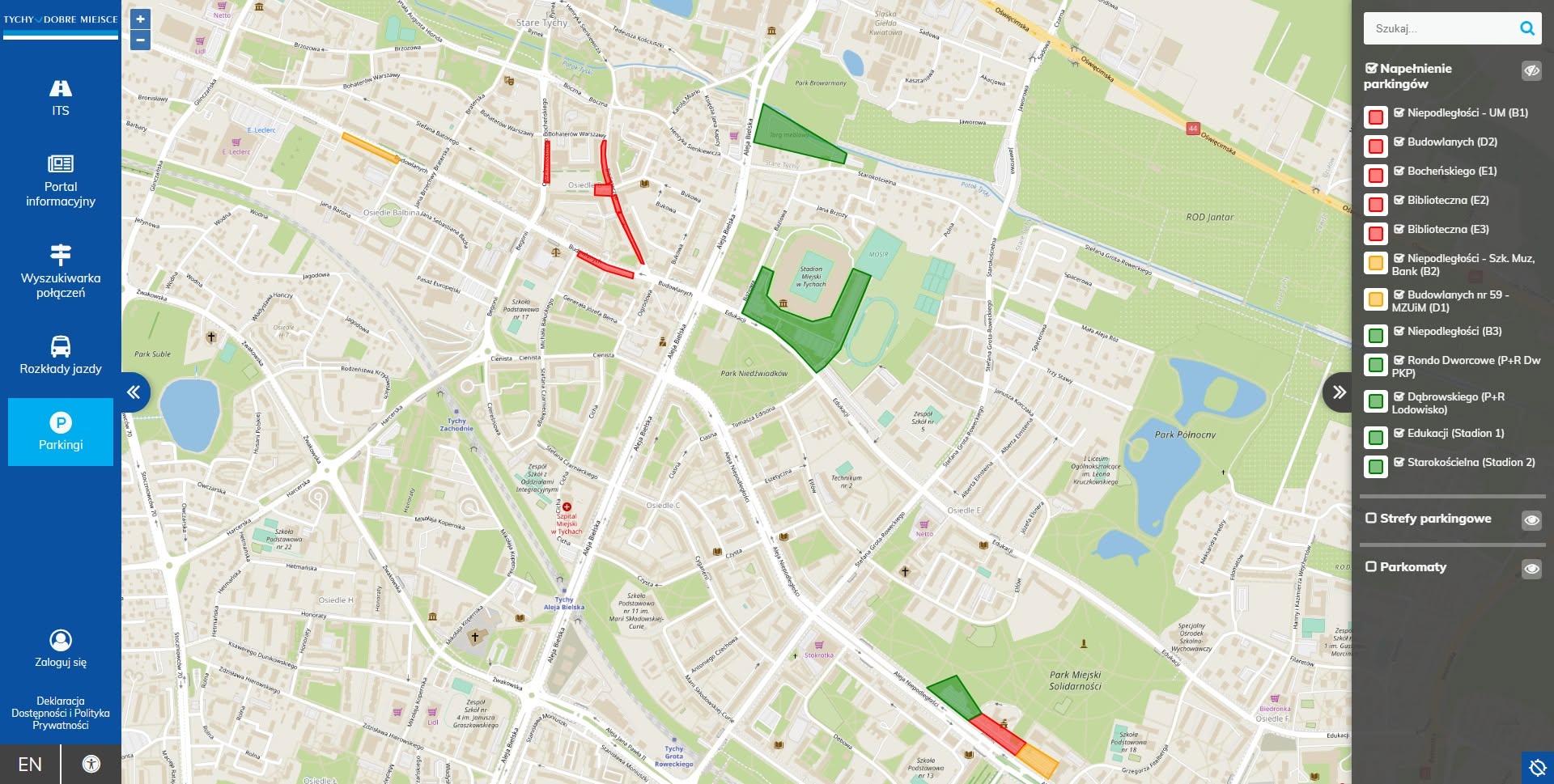
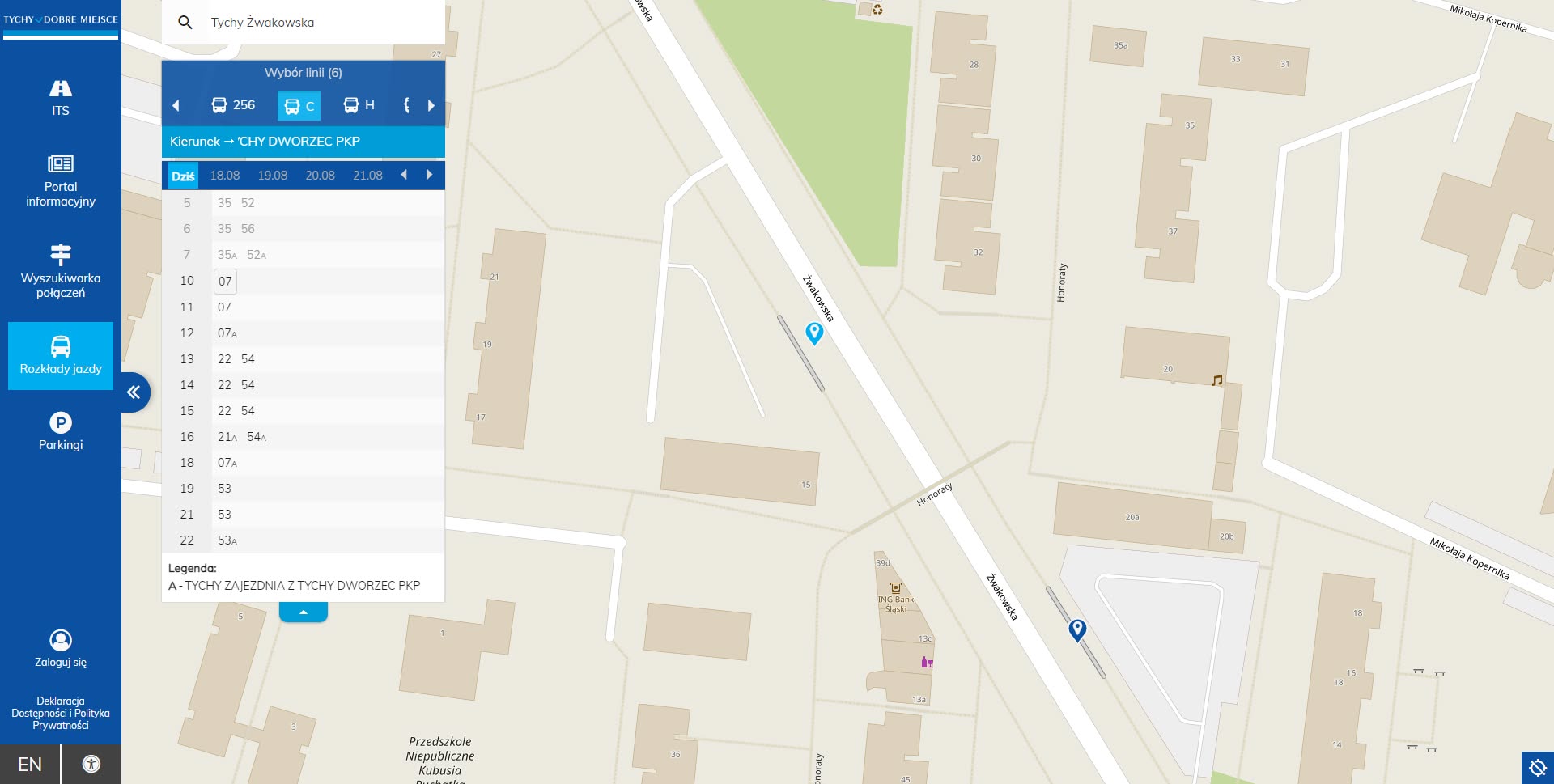
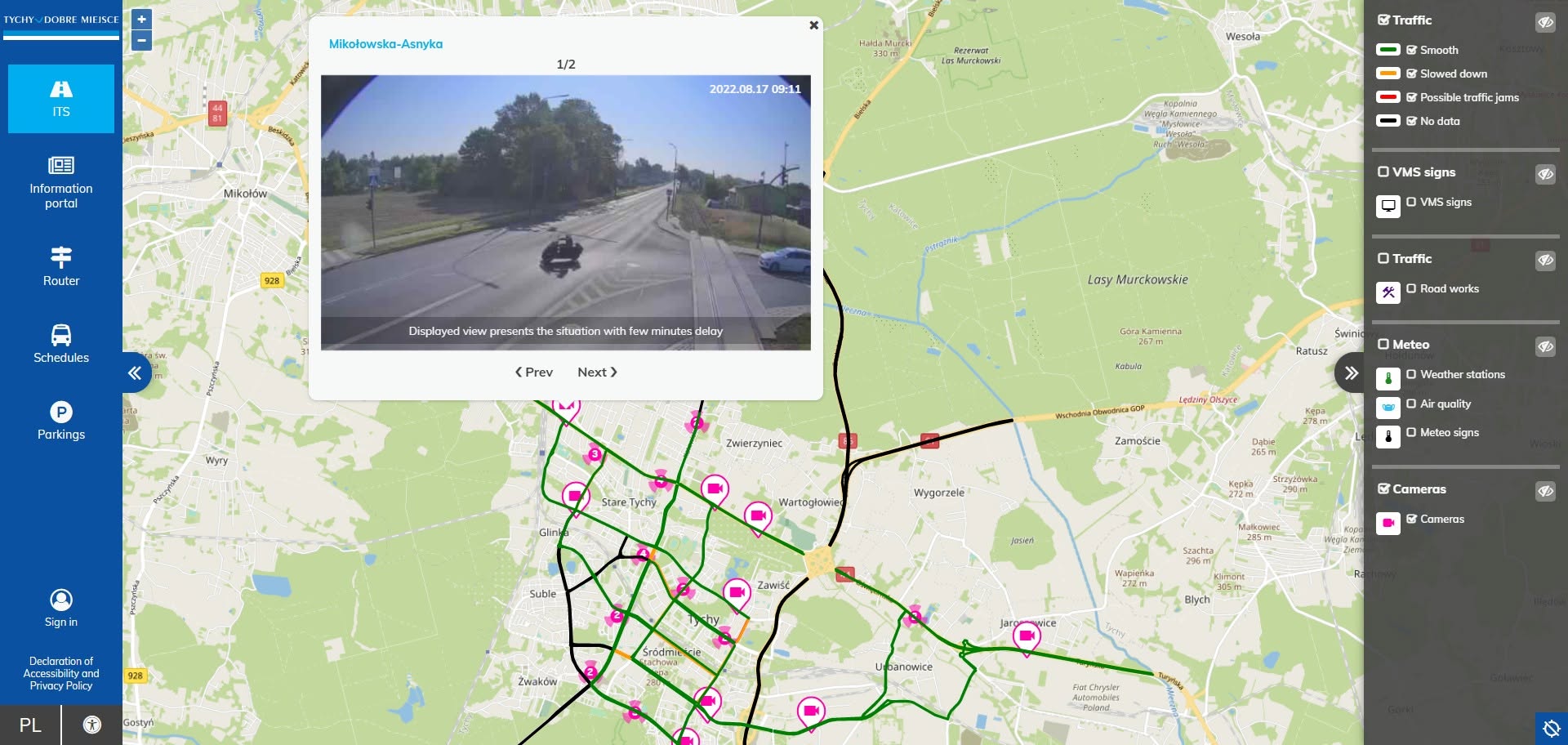
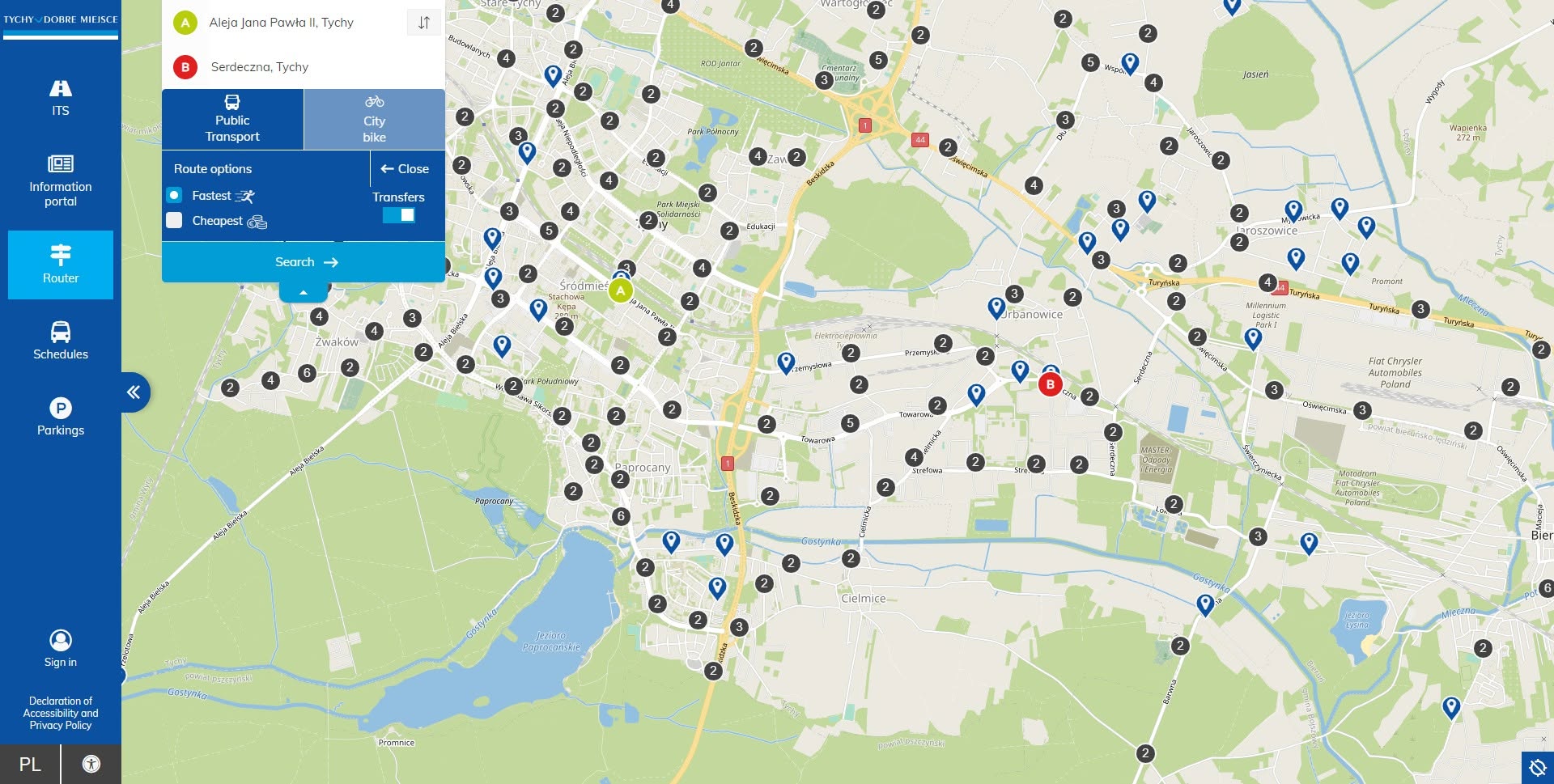
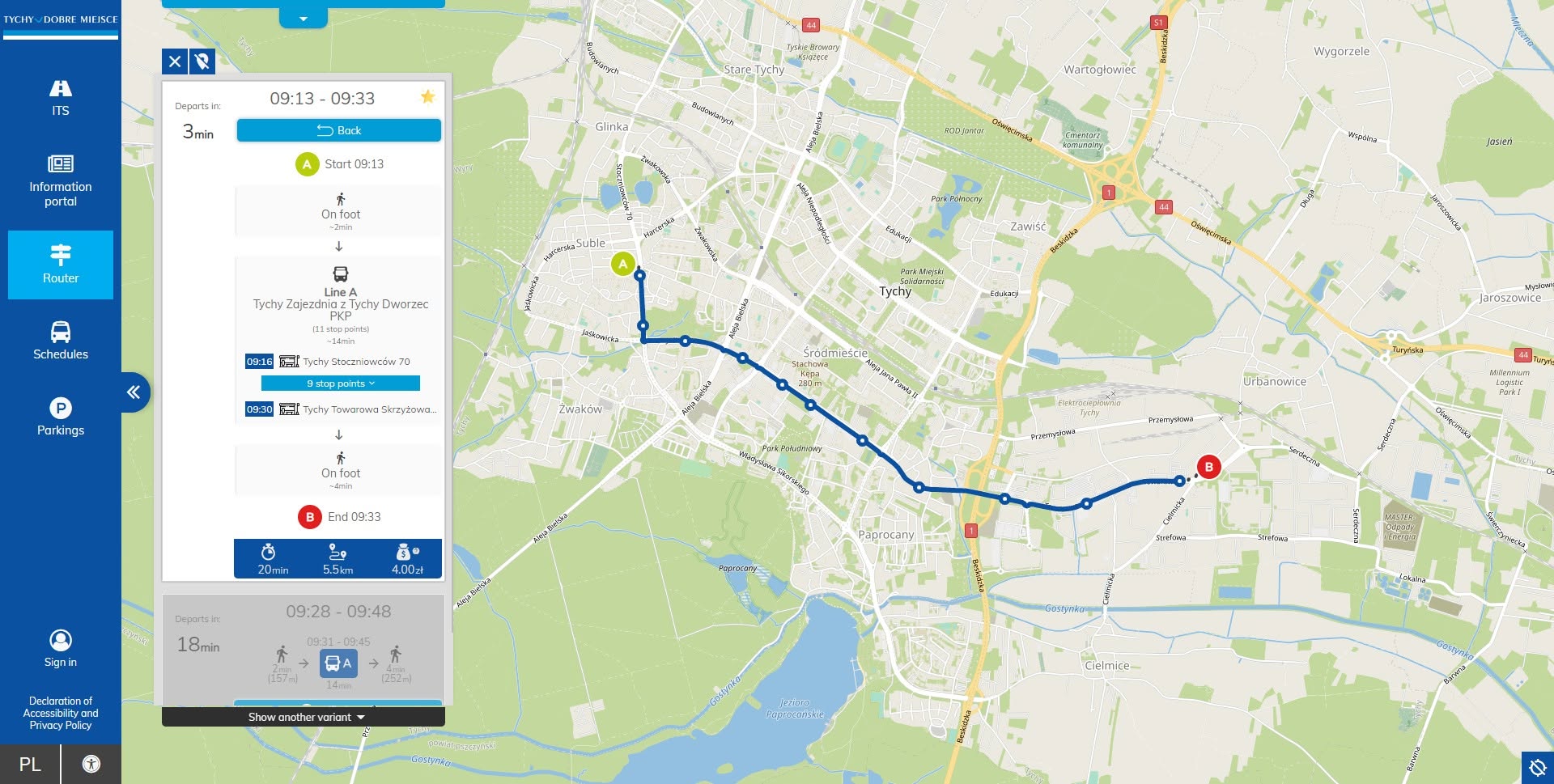
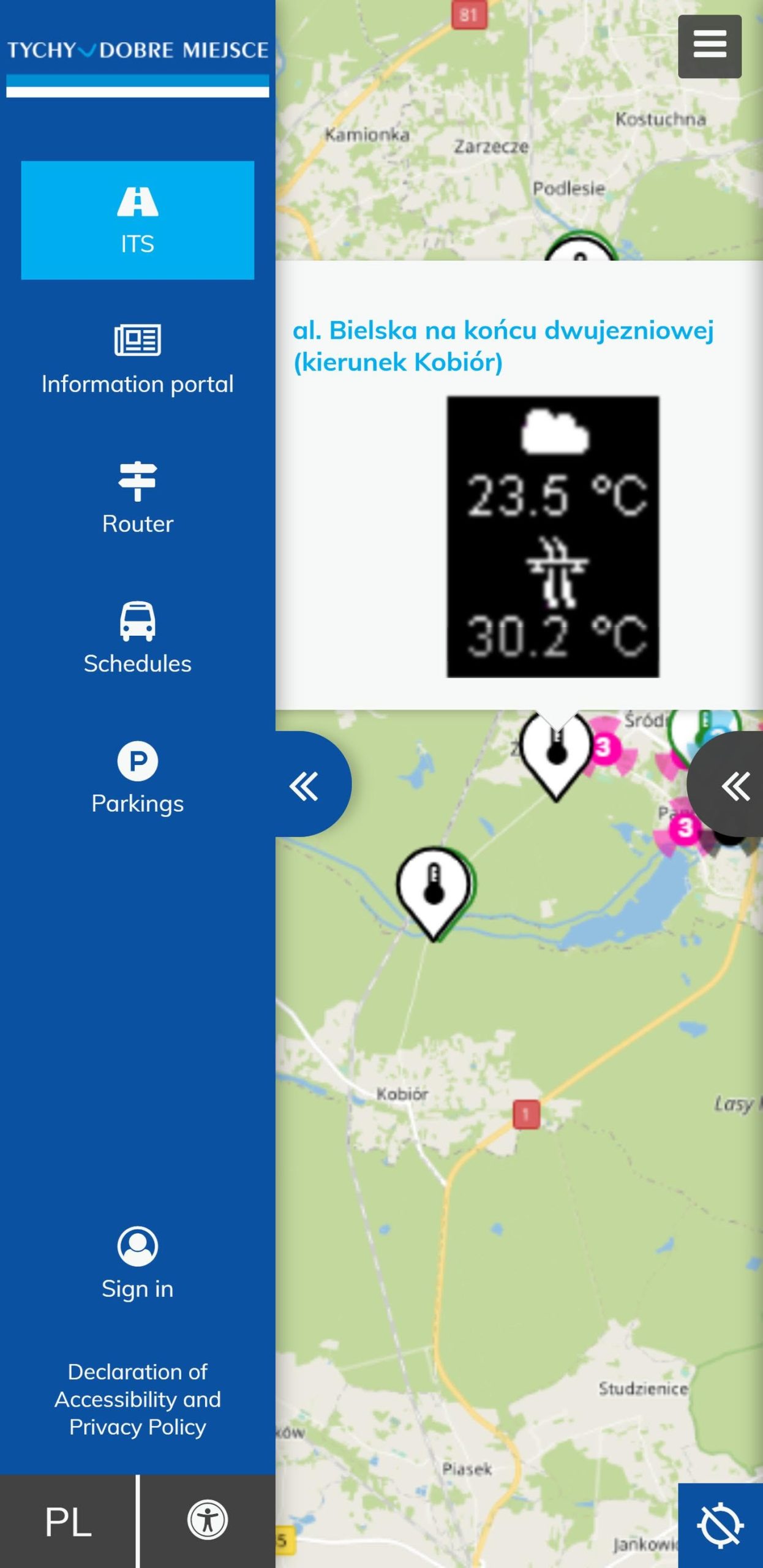
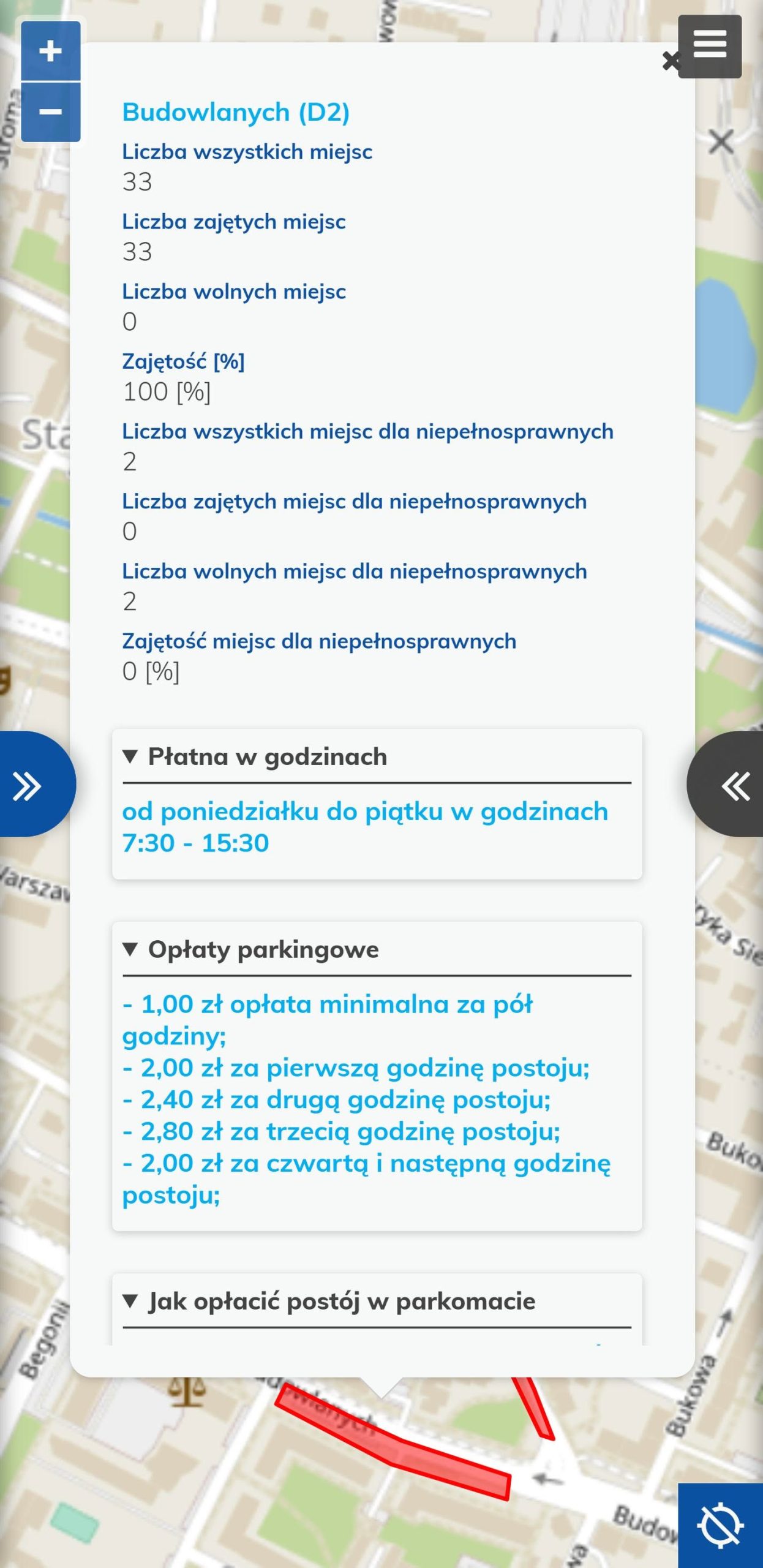
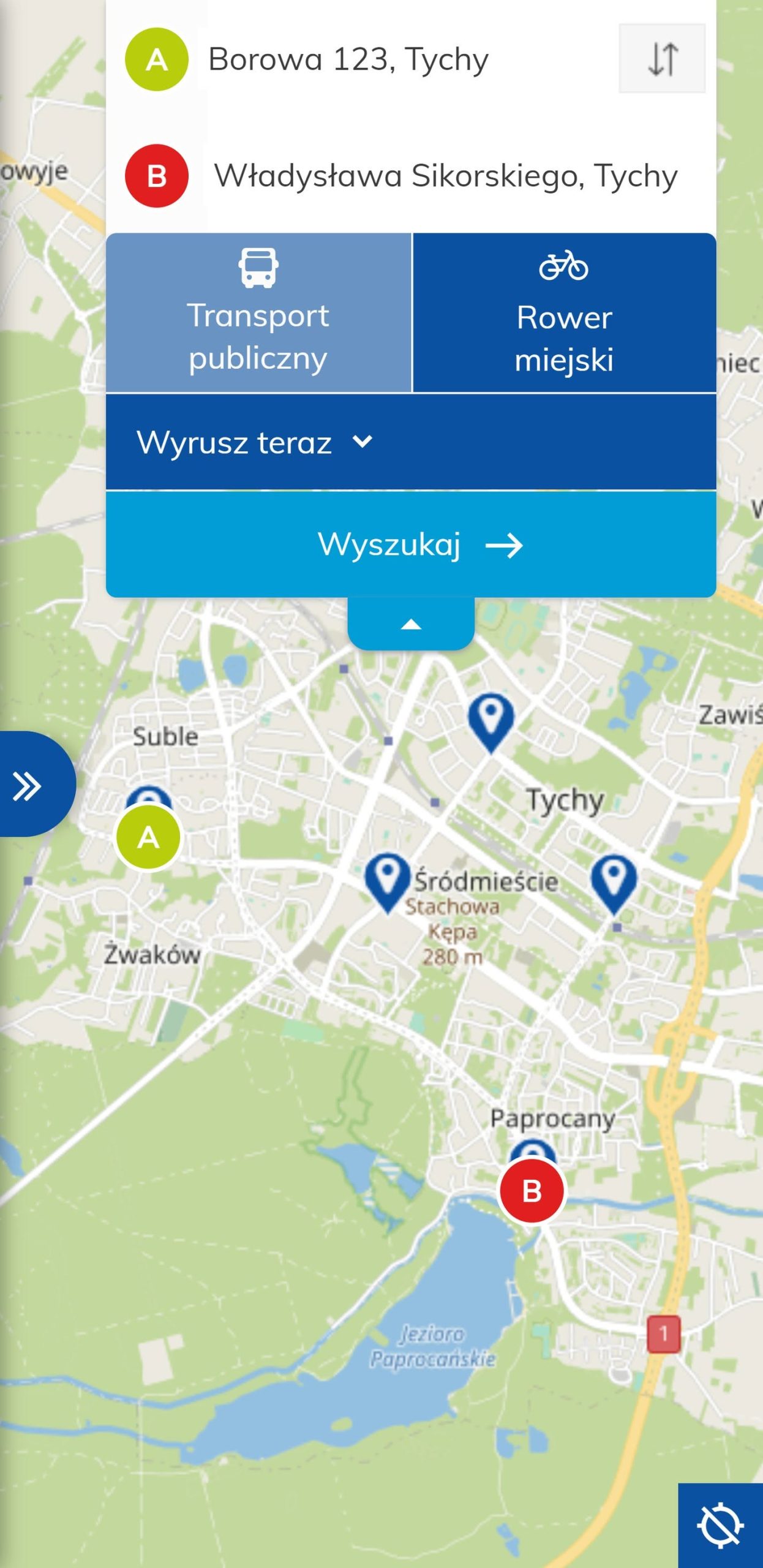
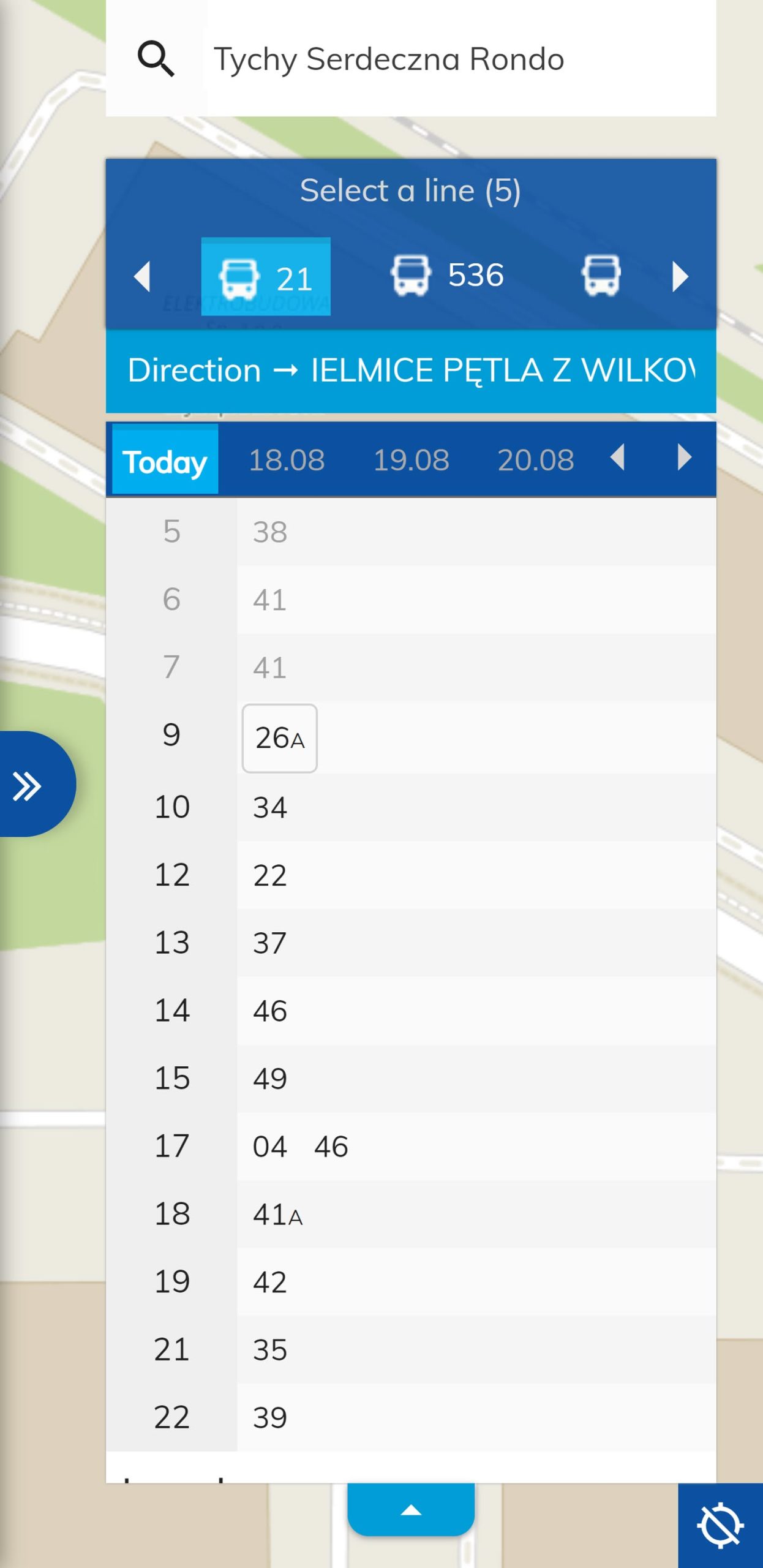
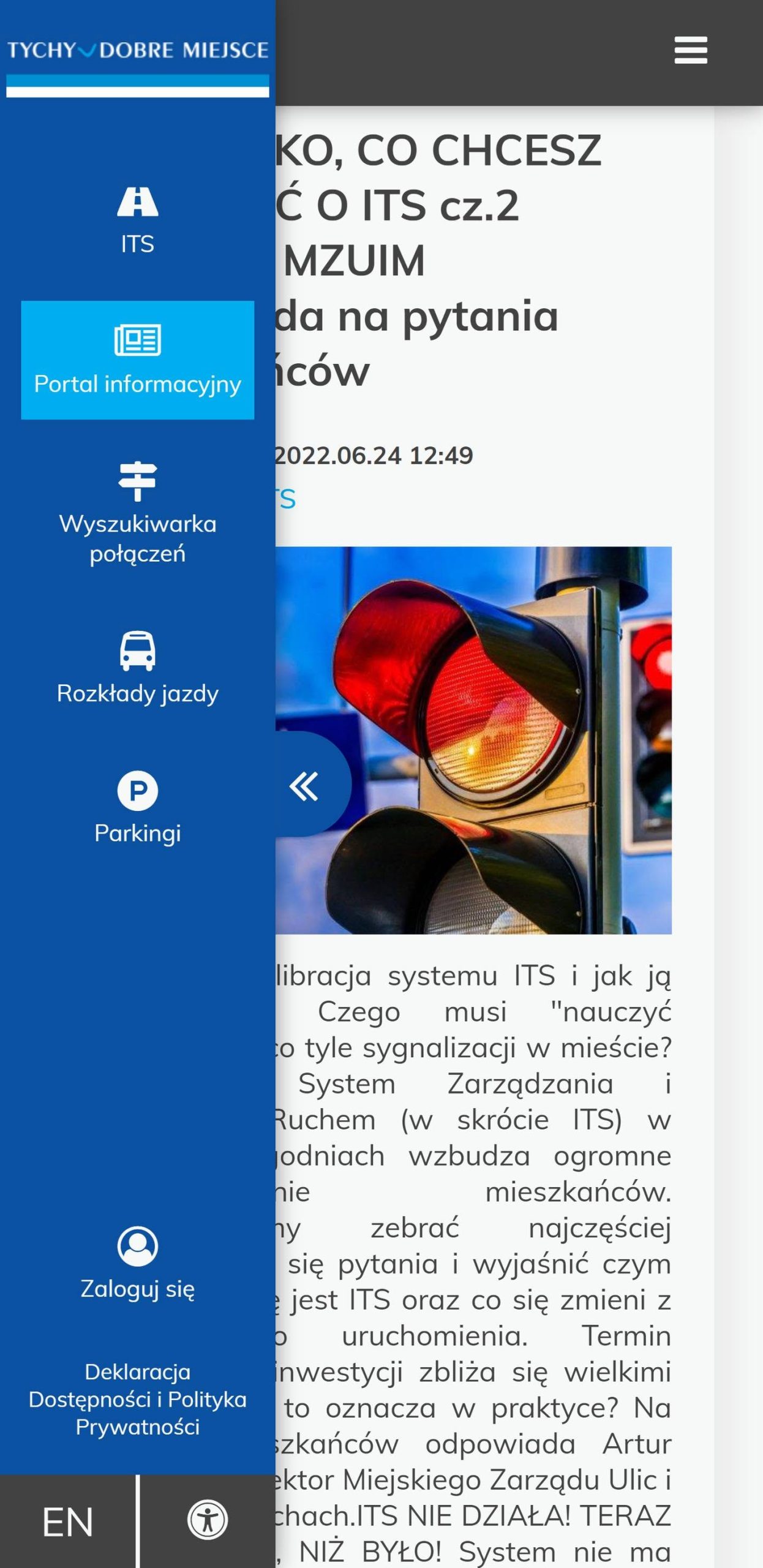
A practical example of the deployment of ITS components is the Tychy Resident Portal https://its.tychy.pl/, which forms part of the ITS system implemented in Tychy.
The online portal for Tychy residents is divided into five main thematic categories:
- ITS – live camera views, traffic volumes, weather stations, and variable message signs,
- Information Portal – traffic disruption notices and news, with the option to subscribe to notifications via SMS and email,
- Journey Planner – route planning for public transport and the city bike system, including the cost of each journey,
- Timetables – stop locations, transfers, and departure times,
- Parking – current parking occupancy, parking zones, and parking meter locations.
Mobile Paid Parking Zone Enforcement System in Tychy
The solution consists of a mobile application for parking enforcement officers and an integrated central back-office system. The mobile application is used to carry out on-site inspections, recognise vehicle registration plates, verify parking payments, and issue payment notices.
Data from the enforcement devices is transmitted to a central server and made available through a web application designed to manage the entire inspection process.
Mobile App for Parking Enforcement Officers
The application runs on Android devices and supports parking enforcement officers throughout the entire vehicle inspection process, from identifying the registration number to issuing and printing a payment notice.
The application can operate in different licence plate recognition modes. Local recognition is performed directly on the device, while remote recognition is carried out on the server. The solution also supports automatic, periodic licence plate recognition.
The application can operate in different licence plate recognition modes. Local recognition is performed directly on the device, while remote recognition is carried out on the server. The solution also supports automatic, periodic licence plate recognition.
On-Site Parking Enforcement
The enforcement officer can point the device camera at a vehicle, read its registration number, and immediately receive information about the parking status. If no valid payment is found, the application allows the officer to proceed directly to issuing a payment notice.
As part of documenting the incident, multiple photos of the vehicle can be taken, the registration number can be completed or corrected, and an additional description can be added. Once the process is completed, the data together with the photos is sent to the server, and the payment notice can be automatically printed using the paired printer.
Central Back-Office System
An integral part of the solution is the web-based back-office system, which centralises data from all parking enforcement devices. The system enables users to analyse inspection results, manage devices, search completed inspections and issued payment notices, manage paid parking zones, and maintain a vehicle whitelist.
Key Back-Office Features
- Statistics and reporting
- Parking enforcement device management
- Payment notice management
- Register of all inspections
- Paid parking zone management
- Vehicle whitelist
- Integrated mobile application and back-office environment
Related Articles
See all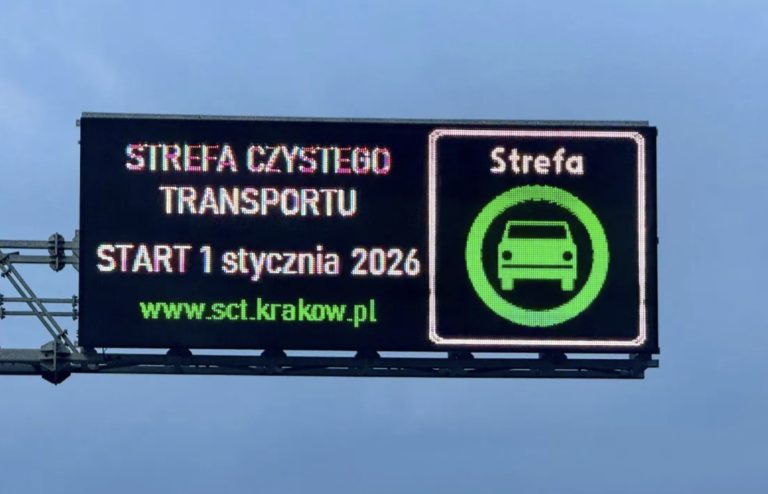
13/02/2026
IT system for Kraków’s Clean Transport Zone
At the beginning of December 2025, in cooperation with representatives of Kraków’s Public Transport Authority (ZTP) and the Kraków Municipal Roads Authority (ZDMK), we launched an IT system supporting the operation of Kraków’s Clean Transport Zone. The zone covers 59% of the city’s area, reflecting the operational scale of the project. A key element of […]
More information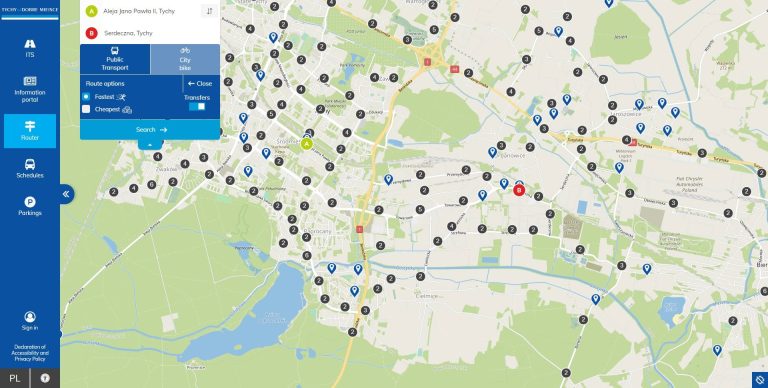
17/08/2022
Passenger Portal in Tychy
With great pride and excitement, we would like to announce the launch today of the 💻 https://its.tychy.pl/ portal, one of the components of the ITS Tychy system.
More information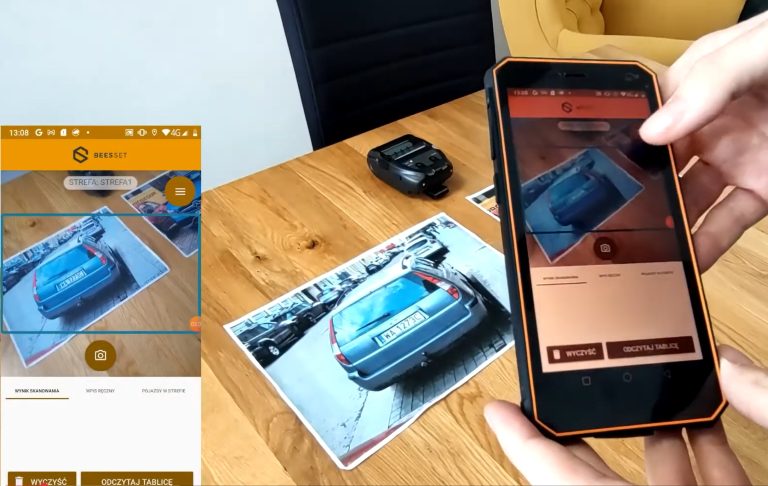
15/11/2021
Parking enforcement in the Paid Parking Zone in Tychy
At Beesset, in addition to delivering dynamic passenger information systems and electronic ticketing solutions, we also develop solutions for Intelligent Transport Systems.
More information